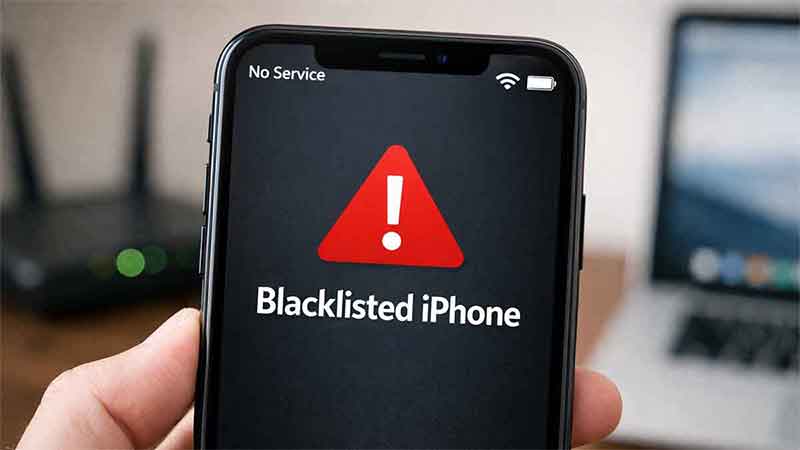
It can be confusing to discover that an iPhone connects normally to Wi-Fi but shows No Service when attempting to use mobile data, make phone calls, or send text messages. This issue is more common than many users realize and is frequently associated with blacklisted iPhones, especially those purchased second-hand.
At a basic level, Wi-Fi and cellular connectivity operate through entirely different systems. An iPhone may access the internet through Wi-Fi without restriction, while access to mobile networks depends exclusively on carrier authorization. When that authorization is revoked, the device loses cellular service but continues to function online through Wi-Fi.
The growing global market for used iPhones has increased the number of users affected by this issue. Devices reported as lost or stolen, linked to unpaid carrier bills, or blocked by operators can quietly enter resale channels. In many cases, buyers only become aware of the problem after inserting a SIM card and encountering persistent network errors.
This article explains why a blacklisted iPhone still works on Wi-Fi, how carrier network blocking functions, and how to identify the most common signs of a blacklisted device. It also outlines how to verify IMEI status and what solutions, if any, are realistically available.
Why Does a Blacklisted iPhone Work on WiFi but Not on Cellular Network?
A blacklisted iPhone works on Wi-Fi but not on cellular networks because Wi-Fi access is independent of mobile carriers, while cellular service requires carrier authorization.
When connected to Wi-Fi, an iPhone accesses the internet through a local router or hotspot. Apple does not restrict Wi-Fi functionality on devices that are blacklisted by carriers, provided the hardware itself is operational.
Cellular service works differently. Mobile carriers rely on the device’s IMEI number, a unique identifier assigned to every phone. If an iPhone is reported lost, stolen, or associated with unpaid balances, its IMEI may be added to a shared blacklist database. Once listed, carriers automatically deny that device access to their networks.
As a result:
- Internet access via Wi-Fi remains functional
- Online services and apps continue to operate
- Calls, SMS, and mobile data are blocked on all supported carriers
This explains why changing SIM cards, restoring factory settings, or updating iOS does not resolve the issue. The restriction exists at the carrier network level, not within the iPhone’s software.
Common Signs Your iPhone Is Blacklisted
A blacklisted iPhone typically presents clear and consistent symptoms related to cellular connectivity. The most common indicator is the complete absence of network service, even in areas with strong coverage.
Common signs include:
- “No Service” or “No Signal” displayed in the status bar
- Inability to make or receive phone calls
- SMS and MMS messages failing to send or receive
- Mobile data not working despite correct settings
- Error messages such as “Cellular Network Not Available” or “SIM Not Supported”
In many cases, the SIM card functions normally when inserted into another phone, confirming that the issue lies with the iPhone itself rather than the SIM or carrier coverage.
If these symptoms persist after restarting the device, resetting network settings, or updating iOS, an IMEI blacklist is one of the most likely explanations.
How to Check If Your iPhone Is Blacklisted
Before attempting any fix, it is essential to confirm whether your iPhone is actually blacklisted. Network issues can sometimes be caused by temporary carrier problems or incorrect settings, but a blacklist block is permanent unless officially removed. Fortunately, there are several reliable ways to check the IMEI status of an iPhone, either for free or through your mobile carrier.
Verifying the blacklist status early helps avoid unnecessary troubleshooting and provides a clear understanding of what solutions are realistically available.
Check IMEI via iPhone Settings
The easiest way to find your iPhone’s IMEI number is directly through the device settings.
To locate the IMEI:
- Open Settings
- Go to General
- Tap About
- Scroll down to find the IMEI number
Once located, copy the IMEI carefully. This number uniquely identifies your iPhone on cellular networks and is the key reference used by carriers worldwide. Even a single incorrect digit will produce inaccurate results, so it is important to verify that the number is copied correctly before checking its status.
Use Online IMEI Checker Tools
Online IMEI checker tools provide a fast and convenient way to determine whether an iPhone is blacklisted. These services query carrier databases and return detailed information about the device.
Most IMEI checkers can provide:
- Blacklist status (clean or blocked)
- Original carrier
- Country of activation
- Device model and specifications
Some tools offer basic blacklist checks for free, while more detailed reports may require a small fee. When using online services, it is recommended to choose well-known and reputable platforms to avoid inaccurate data or misleading results.
Contact Your Carrier
For the most accurate and official confirmation, contacting a mobile carrier is often the best option. Carriers can directly check whether an IMEI is blocked on their network or listed in shared international databases.
You should contact a carrier when:
- Online IMEI results are unclear or conflicting
- The iPhone was purchased from a carrier store
- You suspect the blacklist is limited to a specific network or country
Be prepared to provide:
- The iPhone’s IMEI number
- Proof of purchase, if available
- Account or previous owner information (when applicable)
While carriers may not always disclose the exact reason for a blacklist, they can usually confirm whether the device is blocked and whether removal is possible.
How to Fix a Blacklisted iPhone with No Network
A blacklisted iPhone cannot always be fully restored to normal cellular use. However, depending on the reason for the blacklist and the carrier involved, some legitimate options may allow partial or, in limited cases, full recovery of network access. Understanding what is possible — and what is not — is essential before investing time or money into a solution.
The sections below outline the most common approaches, starting with official carrier options and ending with temporary workarounds.
Contact the Original Carrier
The most reliable way to resolve a blacklist issue is to contact the original carrier that issued the block. Only the carrier that placed the IMEI on the blacklist has the authority to remove it.
This option may work if:
- The iPhone was mistakenly blacklisted
- The device was later recovered after being reported lost
- The blacklist is tied to an account issue that has since been resolved
In these cases, the carrier may request proof of ownership, the original purchase receipt, or account verification. If the request is approved, the IMEI can be removed from the blacklist, restoring full cellular service.
It is important to note that Apple cannot remove carrier blacklists. The decision rests entirely with the network operator.
Pay Outstanding Bills (If Applicable)
Some iPhones are blacklisted due to unpaid carrier bills or contract violations associated with the original owner. In these situations, the blacklist is financial rather than theft-related.
If the carrier confirms that unpaid balances are the cause:
- The outstanding amount must be settled in full
- Payment usually needs to be made by the original account holder
- Blacklist removal may take several days after confirmation
This solution is only viable if the original owner is cooperative. Without their involvement, carriers generally refuse to lift the block, even if the device has changed hands.
Use a Different Carrier (If Allowed)
In certain cases, a blacklisted iPhone may still function on another carrier, depending on the scope of the blacklist.
There are two main types:
- Local blacklist: The IMEI is blocked only on a specific carrier or within one country
- International blacklist: The IMEI is shared across global carrier databases
If the blacklist is local, switching to a different carrier — particularly in another country — may restore cellular service. However, international blacklists are far more common today, significantly limiting this option.
Results vary by region, and carriers are increasingly aligned in sharing blacklist data, reducing the effectiveness of this approach over time.
IMEI Cleaning Services (Risks & Reality)
IMEI cleaning services claim to remove a device from blacklist databases, often advertising quick and guaranteed results. In reality, these services carry significant legal, financial, and technical risks.
Key considerations include:
- No official carrier authorization
- High risk of scams or temporary results
- Possible re-blacklisting at any time
- Legal implications in some jurisdictions
Because blacklist databases are controlled by carriers, third-party services cannot legitimately guarantee permanent removal. Users should approach these offers with caution and understand that success is unpredictable and often short-lived.
Use WiFi Calling & Apps as a Temporary Solution
If restoring cellular service is not possible, a blacklisted iPhone can still function as a Wi-Fi-based communication device.
Popular options include:
- WhatsApp and other messaging apps
- FaceTime audio and video calls
- Skype or similar VoIP services
This approach allows continued use for internet browsing, messaging, and calls over Wi-Fi. However, it comes with clear limitations: no emergency calls, no SMS verification for some services, and no connectivity outside Wi-Fi coverage.
While not a true fix, this solution can extend the practical usability of the device.
What You Cannot Fix on a Blacklisted iPhone
Certain limitations on a blacklisted iPhone are permanent and cannot be resolved through software updates, resets, or third-party tools. Understanding these boundaries helps avoid wasted time and unnecessary expenses.
The most important limitation is the carrier network block itself. Once an IMEI is blacklisted at the carrier level, the device is prevented from accessing cellular networks by design. This restriction exists outside the operating system and cannot be bypassed through user actions.
Several common myths continue to circulate online:
- Factory reset: Resetting an iPhone only erases user data and settings. It does not affect the IMEI or carrier blacklist status.
- iOS updates: Updating to the latest version of iOS may improve performance or security, but it has no impact on carrier-level blocks.
- Jailbreak: Jailbreaking modifies system restrictions but cannot override carrier databases. It also introduces security risks and may further limit device usability.
If an iPhone is permanently blacklisted due to theft or fraud, there is no legitimate technical method to restore full cellular functionality.
Tips to Avoid Buying a Blacklisted iPhone
Preventing the issue is far easier than attempting to fix it. Taking a few precautions before purchasing an iPhone can significantly reduce the risk of buying a blacklisted device.
Key recommendations include:
- Always check the IMEI before purchase using a trusted online checker or carrier confirmation
- Buy from reputable sellers or authorized retailers rather than anonymous marketplaces
- Request proof of purchase, including original receipts or invoices
- Confirm that the iPhone is not linked to unpaid contracts or reported as lost or stolen
When buying second-hand, transparency from the seller is critical. If the IMEI cannot be verified in advance, the purchase should be reconsidered.
FAQ: Blacklisted iPhone Network Issues
Can Apple remove a blacklist from an iPhone? No. Apple does not control carrier blacklists and cannot remove an IMEI block. Only the carrier that placed the blacklist can authorize its removal.
Does a factory reset fix a blacklisted iPhone? No. A factory reset does not affect the IMEI or carrier databases and will not restore cellular service.
Is owning a blacklisted iPhone illegal? Owning a blacklisted iPhone is not necessarily illegal, but using or selling a device reported as stolen may have legal implications depending on local laws.
Can software fix network issues on a blacklisted iPhone? No legitimate software can override a carrier-level blacklist. Claims suggesting otherwise should be treated with caution.
What to Know Before Taking Action
An iPhone that works on Wi-Fi but has no cellular network is often blacklisted at the IMEI level. While Wi-Fi access remains unaffected, carrier services such as calls, SMS, and mobile data are blocked by design.
In some cases, official solutions — such as contacting the original carrier or resolving unpaid balances — may restore service. In many others, the limitation is permanent, and only partial usability through Wi-Fi-based services is possible.
Before purchasing any iPhone, verifying the IMEI and buying from reliable sources is essential. If you are already facing network issues, confirming blacklist status and consulting the carrier should be the first steps before considering any further action.